
Your public help centre address
Change it whenever you like — old links keep working.
By HeyThula · Updated
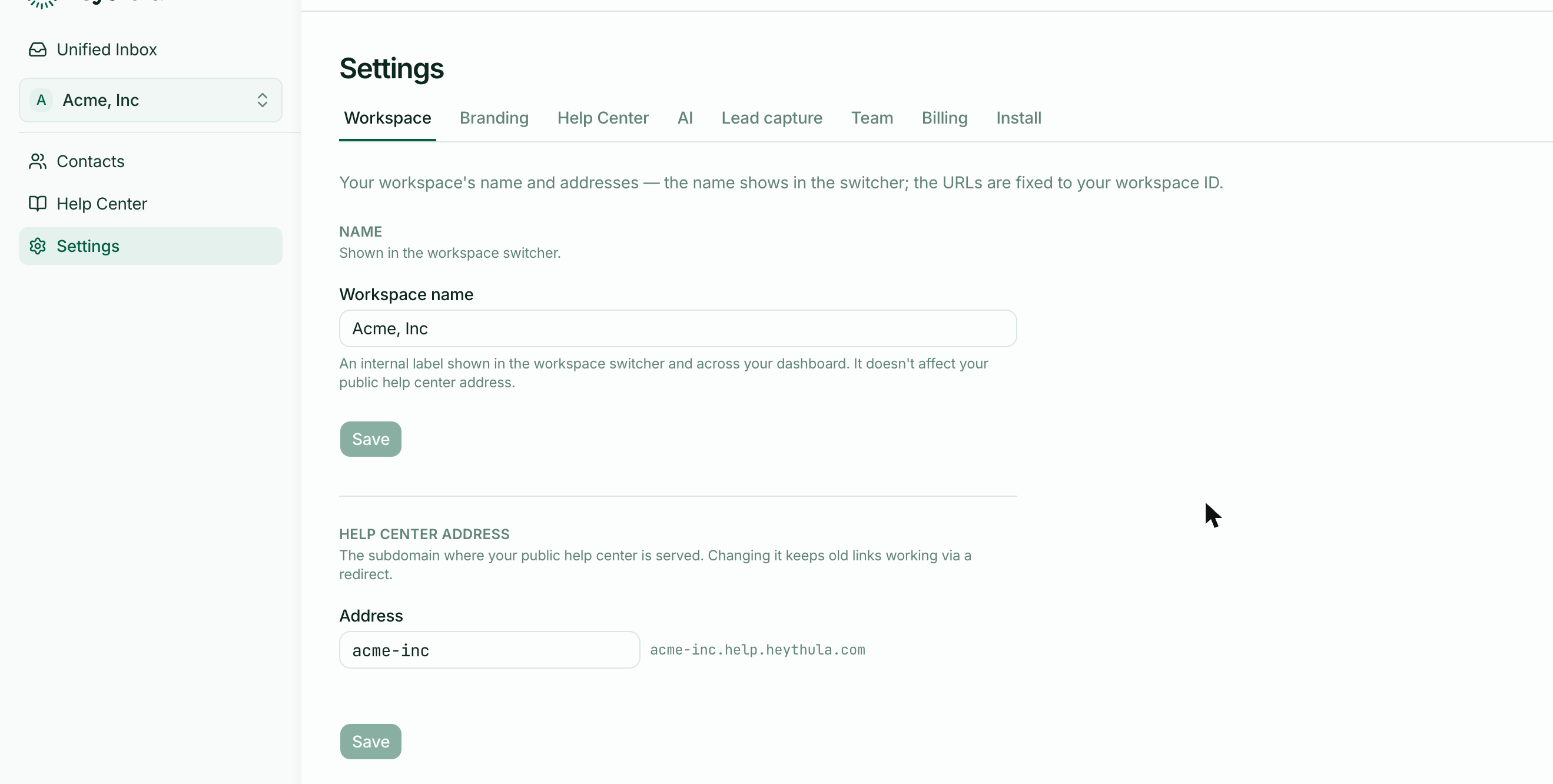
Your help centre is served from its own subdomain, like acme-inc.help.heythula.com. Anyone can visit it; no sign-in, no widget required.
Where to change it
Settings → Workspace, under Help centre address. Type a new address and save. The preview beside the field shows the full domain you'll end up with.
Old links keep working
Changing your address doesn't break anything you've already shared. The old address permanently redirects to the new one — anyone following an old link, from an email, a tweet or another site, lands on the right page.
This is worth knowing because it removes the usual reason to agonise over the decision. You are not locked in.
Search engines understand this kind of redirect too, so ranking earned at the old address carries across rather than starting again.
Choosing one
Use your product or company name, as your customers would write it. Lowercase letters, numbers and hyphens.
Availability is checked as you type — if someone else already has it, you'll be told before you save.
The workspace name is a different thing
Further up the same page is Workspace name. That's an internal label — it's what appears in your workspace switcher and around your dashboard. It has no effect on your public address, and renaming one doesn't rename the other.
Nor is either of them your Workspace ID, the w_… value further down the page. That's the immutable identifier in your widget snippet, and it never changes — which is exactly why renaming things is safe.
Custom domains
Serving the help centre from your own domain — help.yourcompany.com — isn't supported yet. The subdomain above is the way to publish today.