
Managing your subscription
Card, invoices and cancellation, in one place.
By HeyThula · Updated
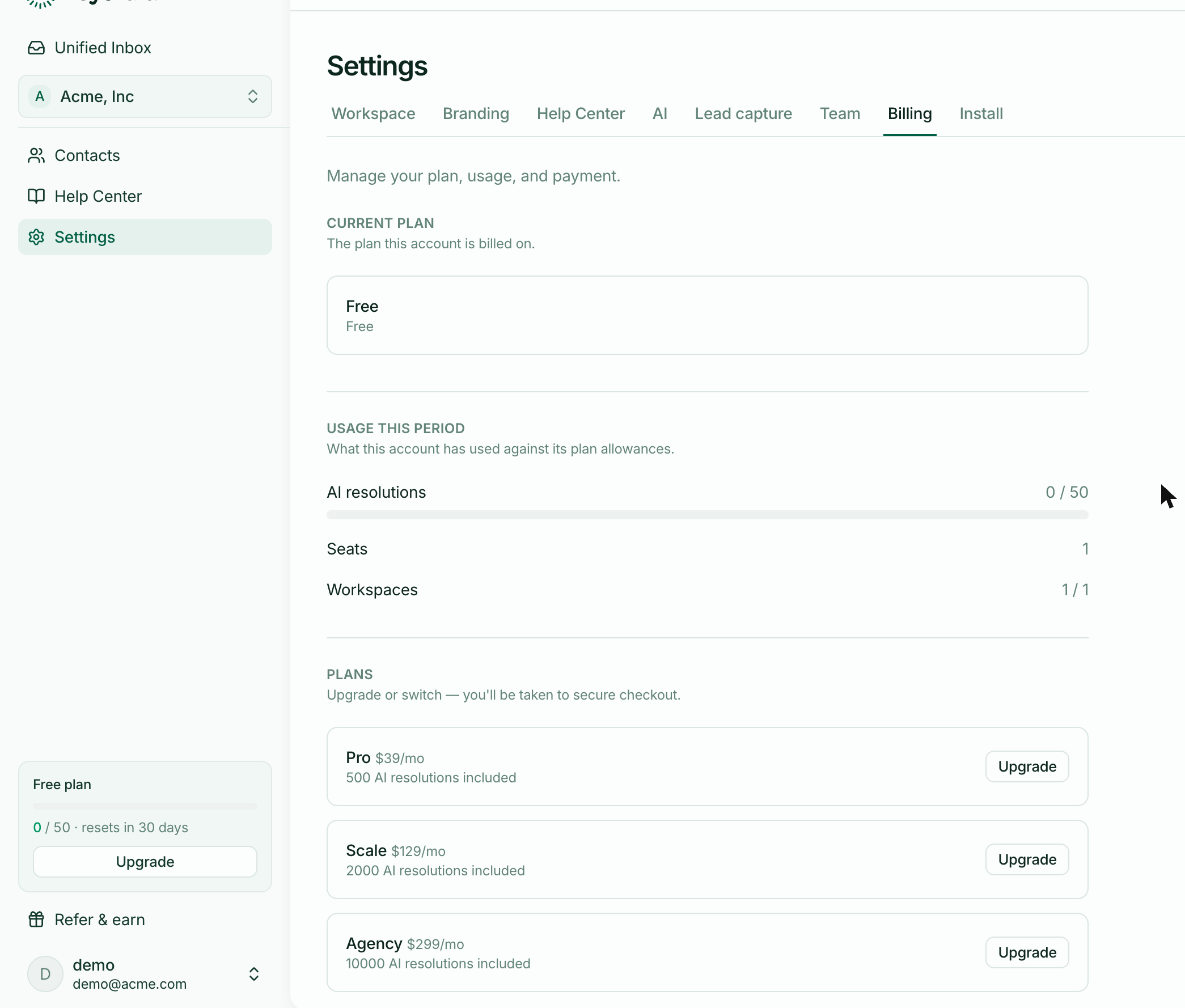
Card details, invoices and cancellation are handled through a secure billing portal, reached from Settings → Billing.
What you can do there
Update your card, before it expires rather than after
Download invoices, including past ones
Change your billing email, so receipts reach whoever needs them — often not the person using the product
Update your billing address and tax details
Cancel
Why it's a separate portal
Card details never touch HeyThula. Everything sensitive is handled by our payment provider, which is also why upgrading sends you to a checkout page rather than a form of ours.
Cancelling
You keep your plan until the end of the period you've paid for. Nothing stops on the day you cancel.
After that you return to Free: 50 AI resolutions per period, one workspace, one teammate.
What happens to your data
Nothing is deleted. Conversations, contacts and help-centre articles stay exactly as they are, and your help centre keeps serving.
If you're over the Free limits — more workspaces or teammates than it allows — those stay in place but you won't be able to add more until you're back within them.
Cancelling is a downgrade, not a deletion.
Failed payments
If a payment fails you'll be emailed at your billing address, and the portal will show it. The subscription isn't cancelled at the first failure; there's a retry window to update your card.
Worth keeping the billing email accurate, since it's the address that gets warned.