
Plans and what's included
What each plan gives you, and which limit you'll actually meet first.
By HeyThula · Updated
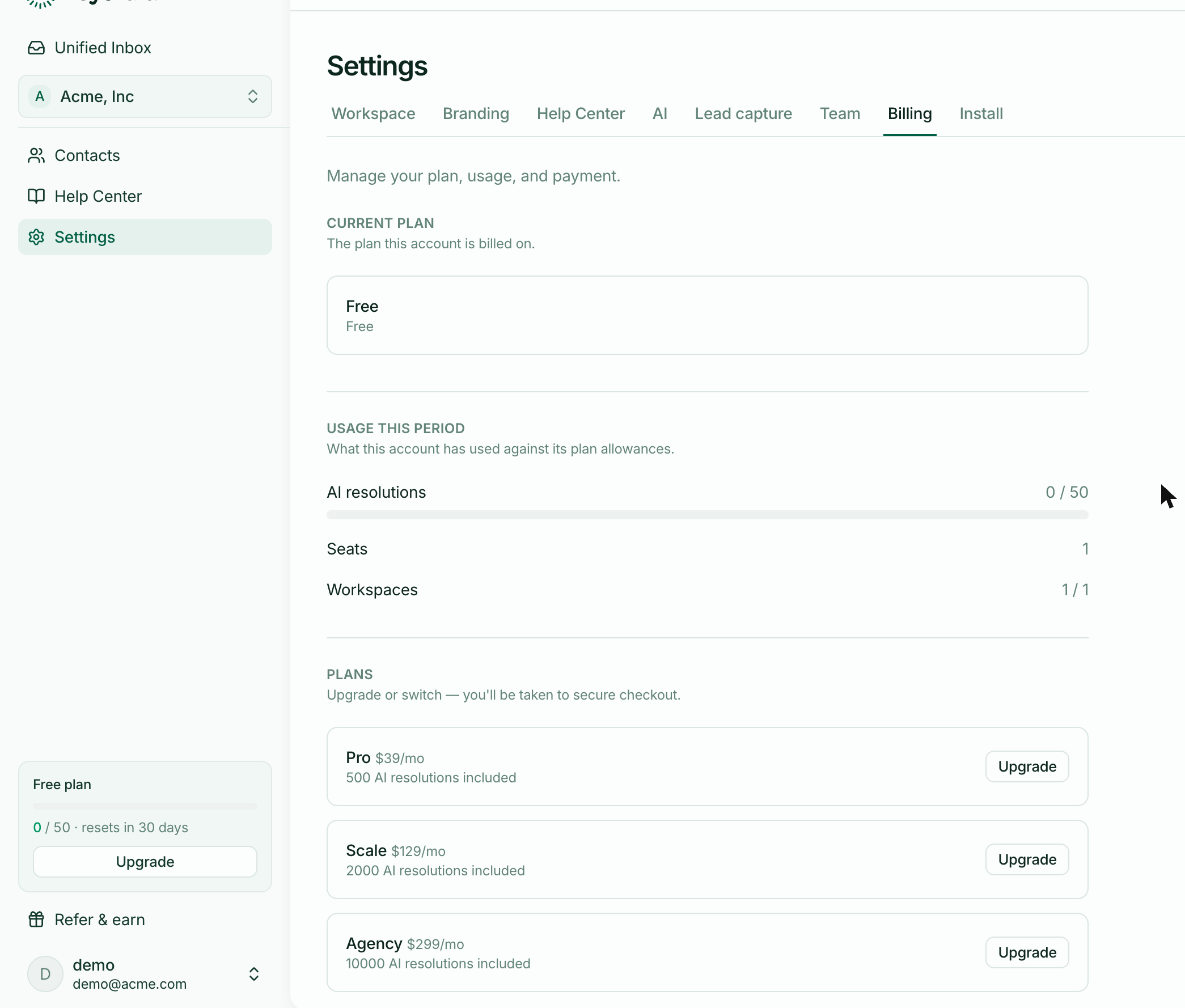
Every plan includes the whole product — the widget, the inbox, your help centre, AI answers, your team. What changes is scale: how many people, how many workspaces, and how many questions the AI answers for you each month.
The plans
| Free | Pro | Scale | Agency | |
|---|---|---|---|---|
| Teammates | 1 | 3 | 8 | 25 |
| Workspaces | 1 | 2 | 5 | 50 |
| AI resolutions / month | 50 | 500 | 2,000 | 10,000 |
| Beyond the included amount | AI pauses | charged per resolution | charged per resolution | charged per resolution |
The difference that matters most
On Free, the AI stops when you reach 50 resolutions and every conversation goes to a human for the rest of the period. It's a hard stop, not a bill.
On every paid plan, going over doesn't switch anything off — additional resolutions are simply charged as you use them, at a rate that falls as the plan grows. Your support keeps working on a busy month.
If your worry is "what happens if we have a bad week", that's the line to pay attention to.
What counts as a resolution
A resolution is a conversation the AI handled — not a message, and not a conversation your team answered. A long back-and-forth with the AI is one resolution.
Conversations that go to a human don't count against the allowance, including those the AI hands over. See How usage is counted.
Which limit you meet first
For most teams it's AI resolutions, because they scale with your customers rather than with your decisions. Seats and workspaces are things you choose; volume happens to you.
If you're picking a plan and unsure, choose on expected conversation volume and treat the seat count as a secondary check.
Changing plan
Upgrade whenever you like from Settings → Billing, or from the plan card at the bottom of the sidebar. Changes take effect immediately, and your bill is pro-rated for the part of the month you've already paid for.