
Roles and what each can do
Owner, admin and agent — and why the differences are small.
By HeyThula · Updated
Everyone on your team has one of three roles: owner, admin or agent.
The differences are deliberately small. All three answer conversations, write help-centre articles and manage contacts — the daily work is the same for everybody. Roles govern who can change the account itself.
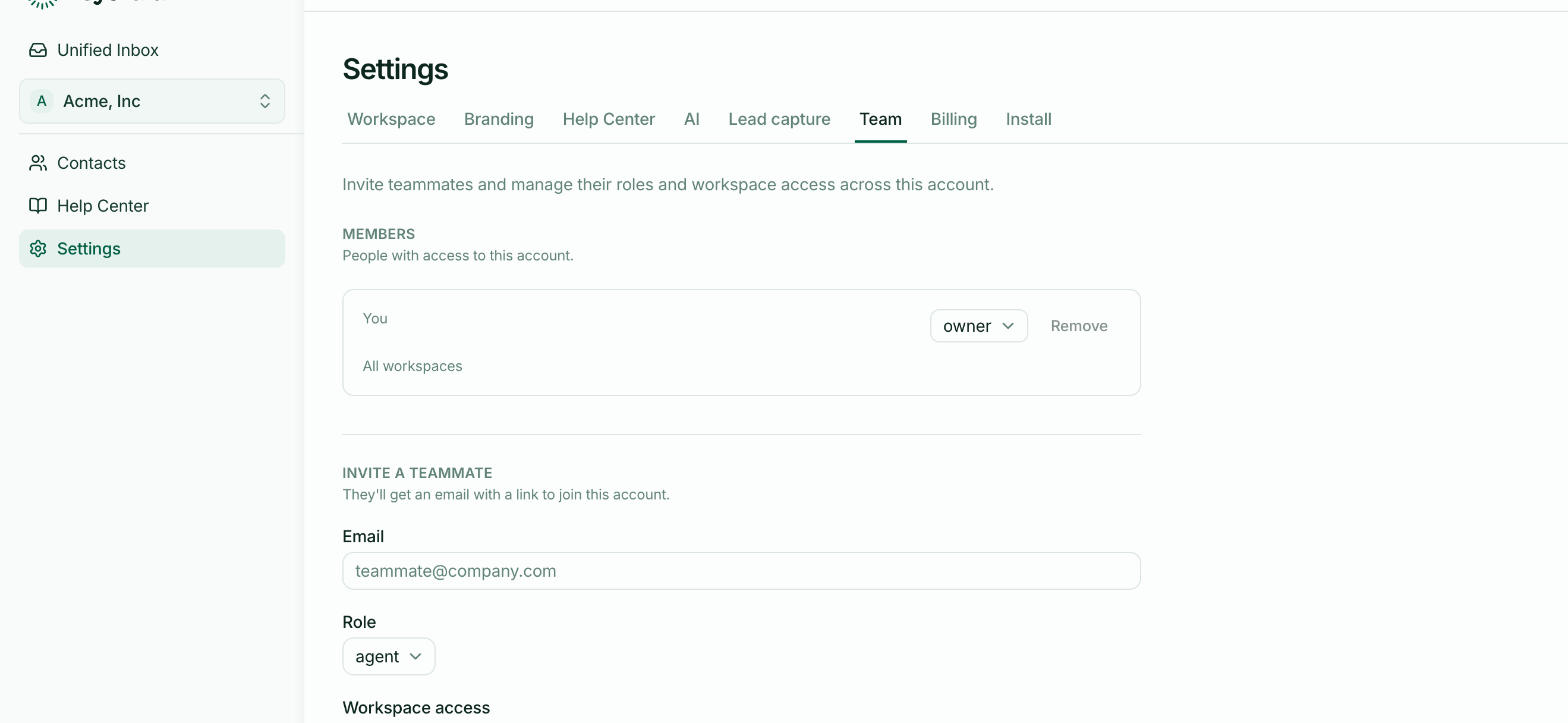
What each role adds
Agent — the support role. Read and reply to conversations, assign them, close them, write and publish articles, edit contacts, change workspace settings like branding and AI.
Admin — everything an agent can do, plus managing the team: inviting people, changing someone's role, removing them.
Owner — everything an admin can do, plus billing. The owner is the person who created the account.
Why agents can change settings
Because support teams are the people who know what the settings should be. The person answering conversations all day is best placed to fix the AI's reply limit or rewrite the welcome message, and needing an admin for that just adds delay.
The things reserved for admins and owners are the ones that cost money or change who has access.
Billing is owner-only
Only the owner sees billing controls and can change the plan or payment method. Everyone else sees the plan and usage, so the whole team knows where they stand, without being able to change it.
Workspace access
Separately from role, each person is granted access to specific workspaces — or all of them, including any added later. Someone with access to one workspace sees only its conversations, contacts and articles.
Role and access are independent: an admin restricted to one workspace administers the team but only sees that workspace's conversations.
Changing a role
Settings → Team, then change the role next to their name. Admins and owners can do this.
There's always exactly one owner. To hand the account over, that transfer has to come from the current owner.