
Accounts and workspaces
Your account holds the plan and the team. Workspaces hold the work.
By HeyThula · Updated
Two layers, and knowing which is which explains most of how HeyThula is organised.
Your account
Created when you sign up. It holds the things that belong to your business as a whole:
Your plan and billing
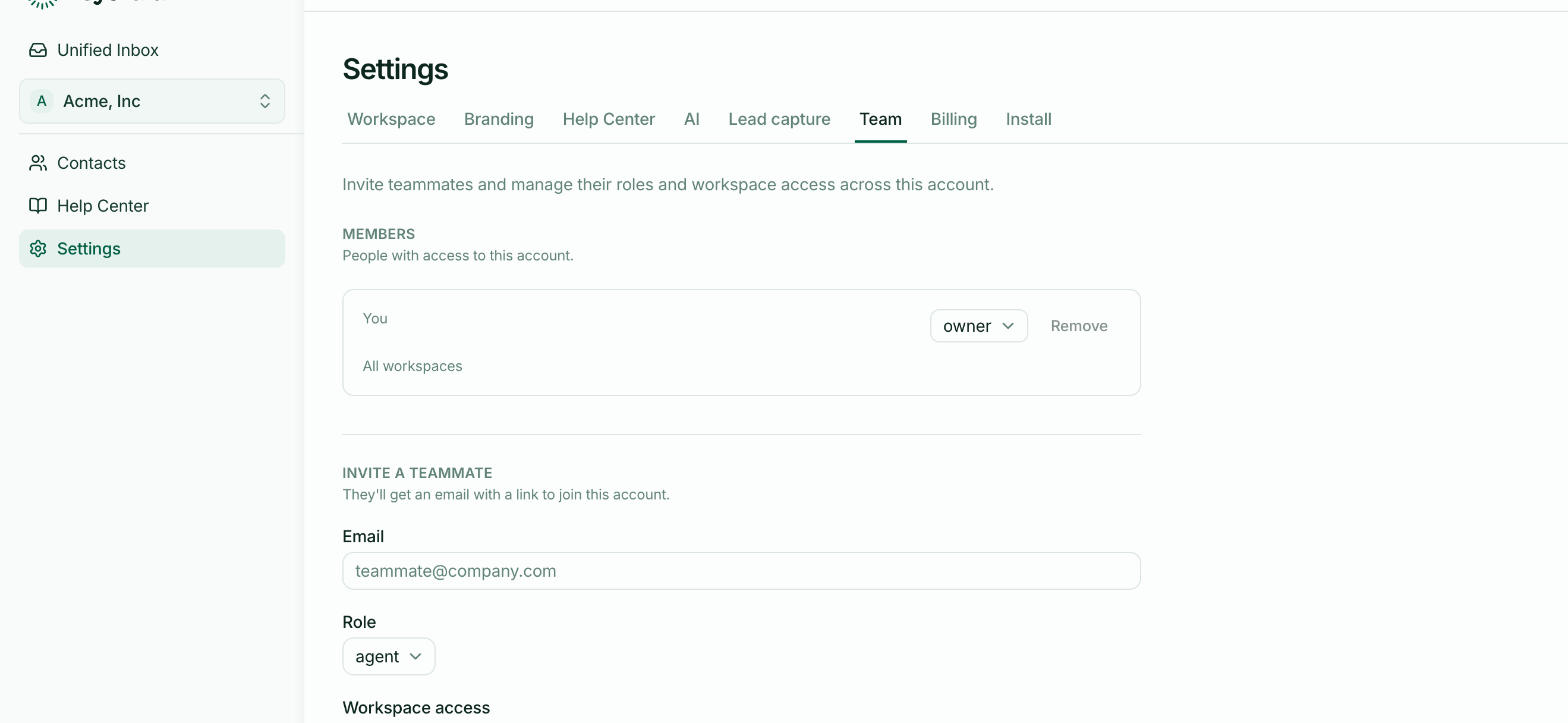
Your team — everyone with access, and their roles
Your usage — the AI resolution allowance, pooled
Your workspaces
A workspace holds the actual work: conversations, contacts, help-centre articles, branding and its own widget.
One account can hold several. Nothing crosses between them — see Workspaces, and when you need more than one.
Which settings live where
| Belongs to the account | Belongs to a workspace |
|---|---|
| Plan and billing | Branding and the widget |
| Team members and roles | AI settings |
| AI resolution allowance | Lead capture |
| Referrals | Help centre address and articles |
A quick way to tell in the interface: Team and Billing are account-wide even though they sit in Settings alongside workspace tabs. Everything else follows the workspace selected in the switcher.
Why usage pools
Your allowance belongs to the account, so workspaces draw on one shared pool. A quiet product lends its capacity to a busy one automatically, and you never have to divide a quota between them.
See How usage is counted.
Why access is per workspace
Someone joins your account, then is granted specific workspaces — or all of them.
That's what lets a contractor answer conversations for one product without seeing another's customers, while still being one teammate against your seat count rather than two accounts to manage.
One account is normal
Almost everyone needs exactly one account. Separate accounts mean separate bills, separate teams and separate allowances — which is right for genuinely separate businesses, and needlessly painful for anything else.