
The contact profile and timeline
Who you're talking to, beside the conversation.
By HeyThula · Updated
Every conversation has a panel showing who's on the other end — their details, and what they've done.
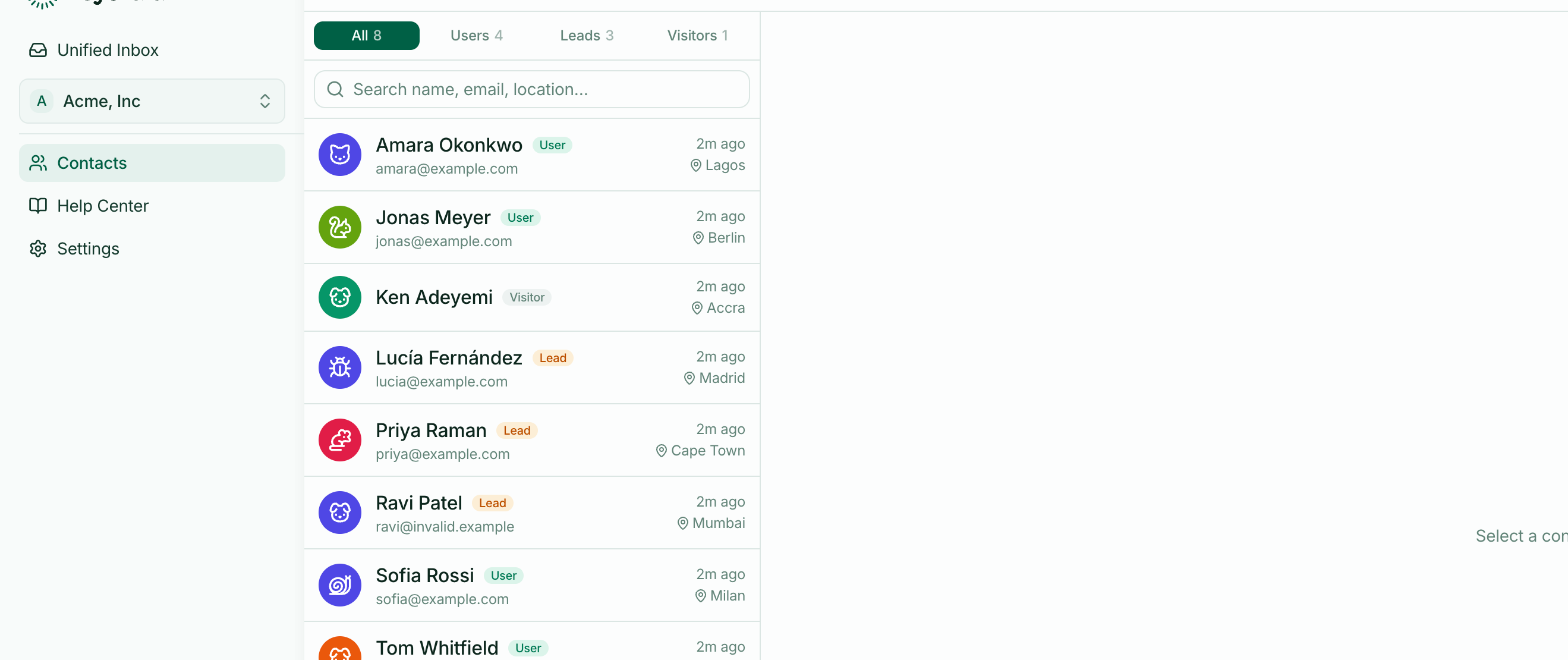
Where to find it
Beside an open conversation on a wide screen. On a narrower one it's behind the info button in the conversation header.
There's also a Contacts page listing everyone, searchable by name, email or location.
What's shown
Name and email, if known. Anonymous visitors show their generated name instead.
Type — visitor, lead or user. See Visitors, leads and users.
Location, derived from their connection. A general area, not an address, and occasionally wrong for anyone on a VPN.
First seen and Last seen, which tell you whether this is someone new or someone who's been around for months.
The timeline
Below the details, a record of what this contact has done — conversations started, an email captured, an identity verified.
Its value is context before you reply. Someone on their fifth conversation this week is in a different situation from someone on their first, and the timeline is quicker to read than their history.
Custom attributes
If your site passes extra details — plan, signup date, anything you choose — they appear here too. See Custom attributes.
Why it's beside the conversation
Support answers are better when you know who's asking. Putting the profile next to the thread means you don't have to decide to go and look it up — which, under pressure, nobody does.