
Asking for an email mid-conversation
One button, for when a conversation won't finish in one sitting.
By HeyThula · Updated
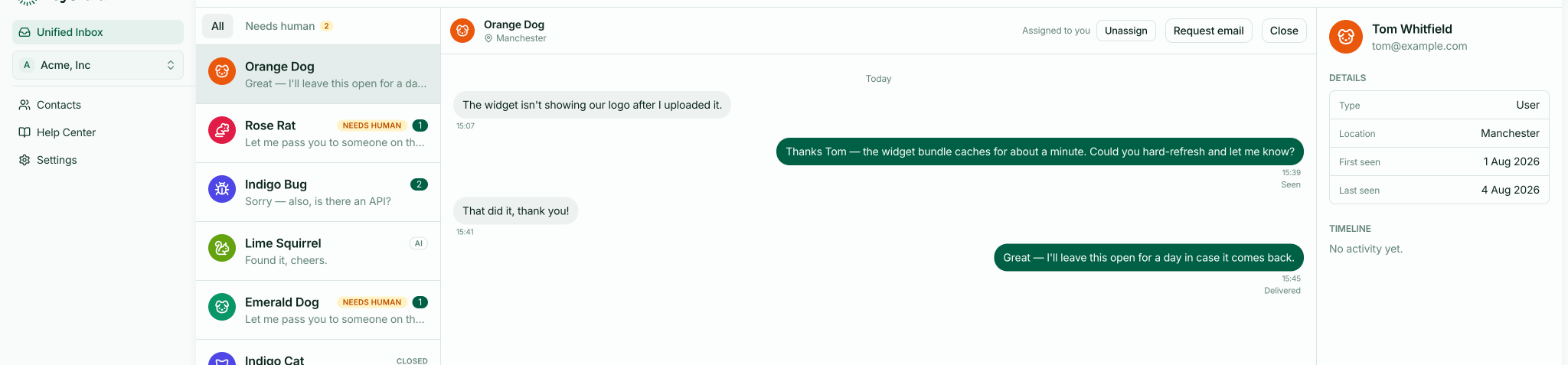
Request email puts a short prompt in the conversation asking the visitor for an address. It's in the conversation header, beside the assignment controls.
When to use it
The moment you realise this won't be finished while they're here. You need to check something, escalate it, or wait for a deploy — and they're going to close the tab.
Without an address, an anonymous visitor who leaves is unreachable. With one, you can answer whenever you have the answer.
Why a button rather than just asking
You could type "what's your email?" and many people do. The button is better in two ways: it's a proper field rather than a message they have to answer in prose, and submitting it converts them to a lead, so the address is attached to the contact rather than buried in the transcript.
Half-typed addresses in message text don't reach anyone.
What the visitor sees
A small prompt in the conversation asking for their email, which they can fill in or ignore. It doesn't block them from continuing to talk.
Once they give it
They become a Lead and appear in Contacts. From then on your replies reach them by email whenever they're away from your site — including the reply you were waiting to send.
See Visitors, leads and users.
Identified users don't need it
If your site identifies signed-in users, you already have their address and the button is redundant. See Identifying logged-in users.
Or ask automatically
If you're doing this often, configure lead capture to ask at the right moments without you pressing anything — particularly the offline prompt, which asks precisely when a conversation is going to have to wait. See Collecting email addresses.