
Visitors, leads and users
The three kinds of contact, and what moves someone between them.
By HeyThula · Updated
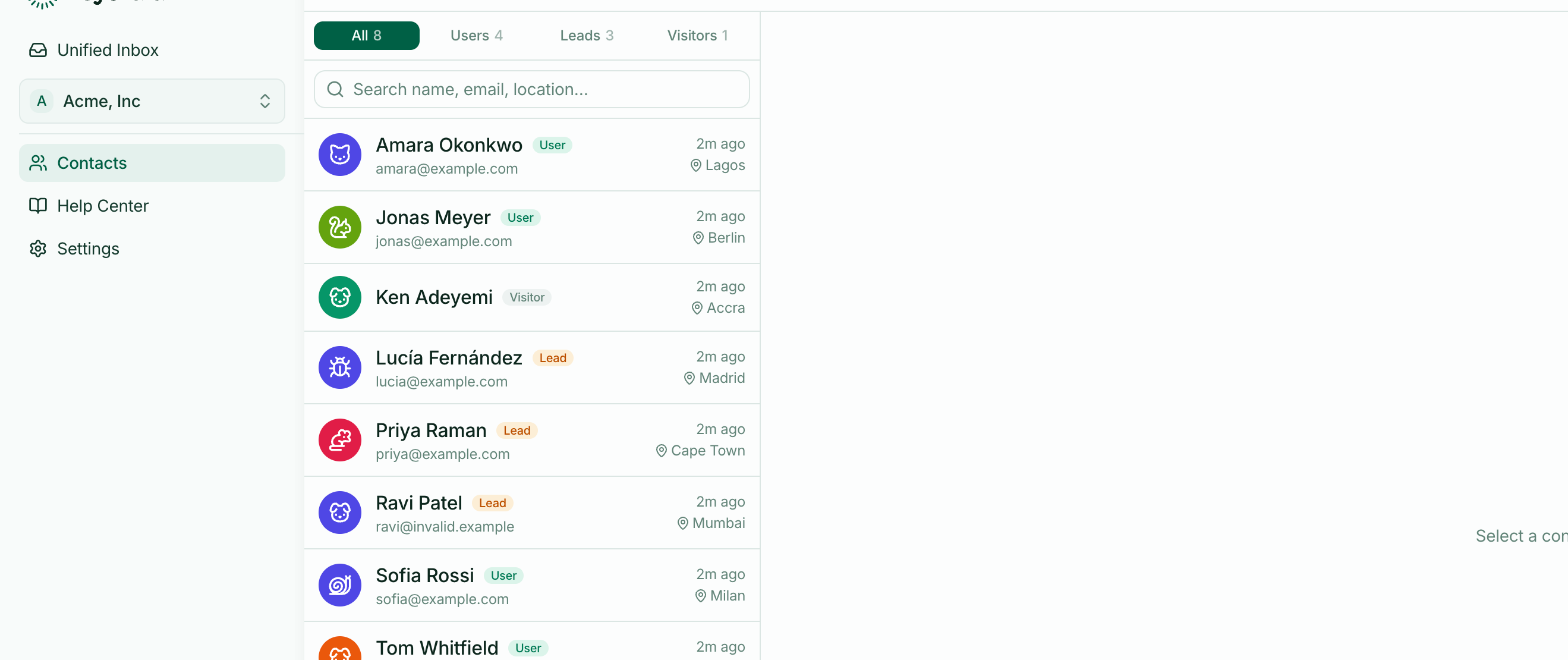
Everyone who opens your widget becomes a contact. Which kind depends on what you know about them.
Visitor
Anonymous. They've opened the widget but haven't given you anything, and you haven't told HeyThula who they are.
They still get a stable, friendly name — "Purple Turtle" — so your team can refer to them as somebody rather than an ID, and so the same person is recognisable across a conversation.
A visitor is tied to their browser. On a different device, they're a different visitor.
Lead
A visitor who has given you an email address, usually through lead capture or because an agent asked mid-conversation.
This is the meaningful transition for most businesses: you can now reply by email, follow up later, and keep the conversation going after they've left your site.
User
Someone your own system has vouched for — you told HeyThula who they are, and signed the claim so it can be trusted. See Identifying logged-in users.
Users get the thing visitors and leads can't have: their conversations follow them between devices, because identity comes from your system rather than from a browser.
What moves someone up
Visitor → Lead — they submit an email address.
Visitor or lead → User — they sign in to your product on a page carrying the widget, and your site passes their verified identity.
It only moves in one direction. Someone who has been identified stays identified.
Why it matters day to day
The kind of contact decides what you can do when a conversation goes quiet.
A visitor who leaves is gone — you have no way to reach them. A lead or user can be emailed, which is why they receive replies after they've closed the tab. If you find yourself wishing you could follow up, that's an argument for turning on lead capture.