
What HeyThula is
A chat widget, a shared inbox, a help centre, and an AI that uses it.
By HeyThula · Updated
HeyThula is customer support in four connected parts. The connection is the point — each part makes the others work better.
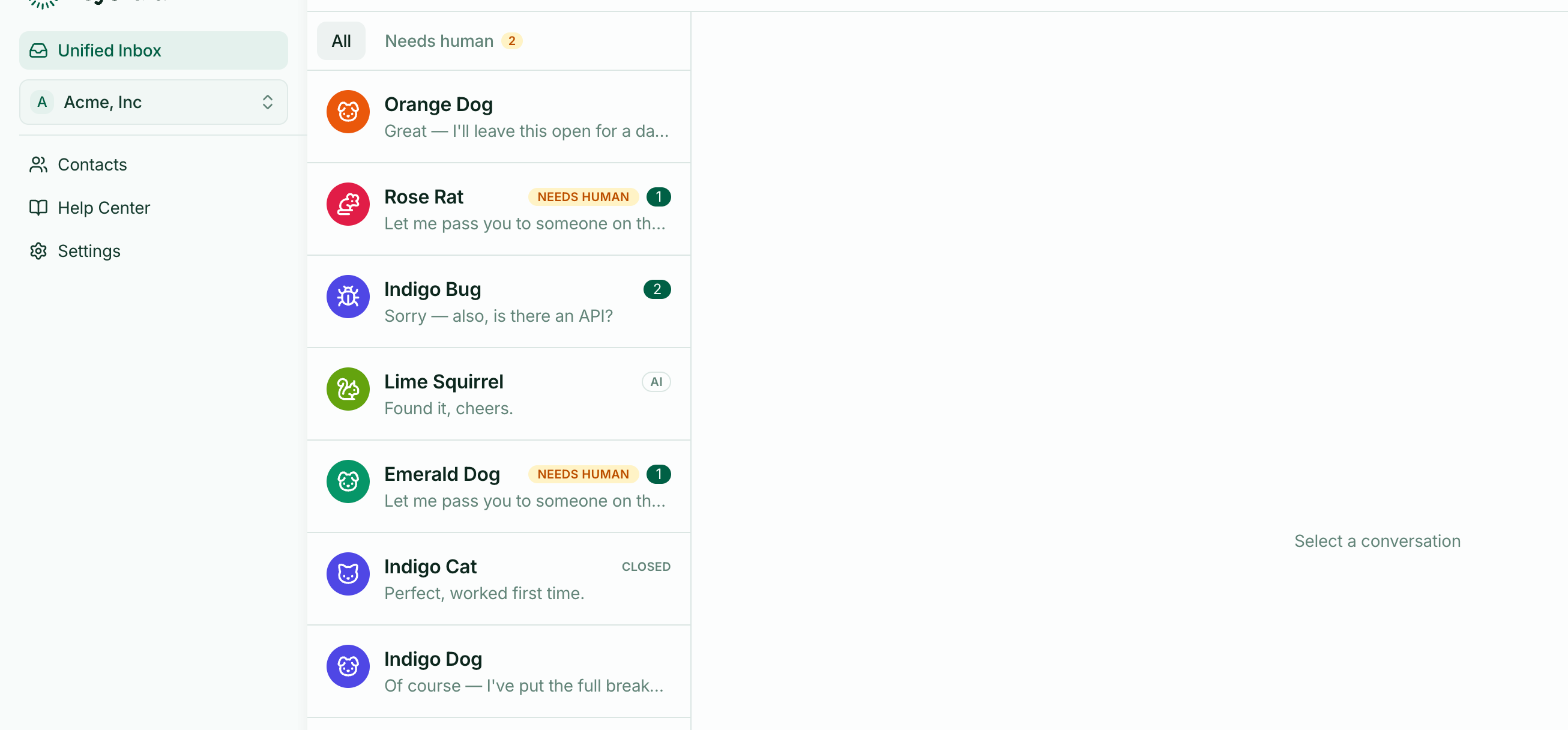
The widget
A chat launcher on your site. Visitors ask questions without leaving the page, without signing up, and without writing an email into the void.
The inbox
Where those conversations arrive for your team. One shared list rather than a mailbox per person, so nothing depends on who happens to be looking.
The help centre
Your articles, published on a public site and searchable from inside the widget — so a visitor can find the answer without starting a conversation at all.
The AI
Answers questions from your published articles, and hands over to your team when it can't.
Why they're one product
The AI answers from your help centre. So every article you write does three jobs: it's a page customers can read, a result they can search, and knowledge the AI can answer from.
Writing one good article reduces the same question arriving three ways. That compounding is what makes support get easier over time rather than scaling linearly with customers.
The reverse holds too. Conversations your team keeps answering by hand are a list of the articles you haven't written yet, and the inbox marks them for you.
What it isn't
Not a ticketing system. Conversations aren't tickets with statuses and queues and SLAs. They're conversations, closed when done.
Not a marketing tool. No pop-ups chasing people around your site, no fake agent photos. The AI says it's an AI.
Getting going
Install the widget, write a few articles, then turn on the AI. Roughly fifteen minutes for the first two — see Your first fifteen minutes.