
What the widget says
Four pieces of wording, each shown somewhere different.
By HeyThula · Updated
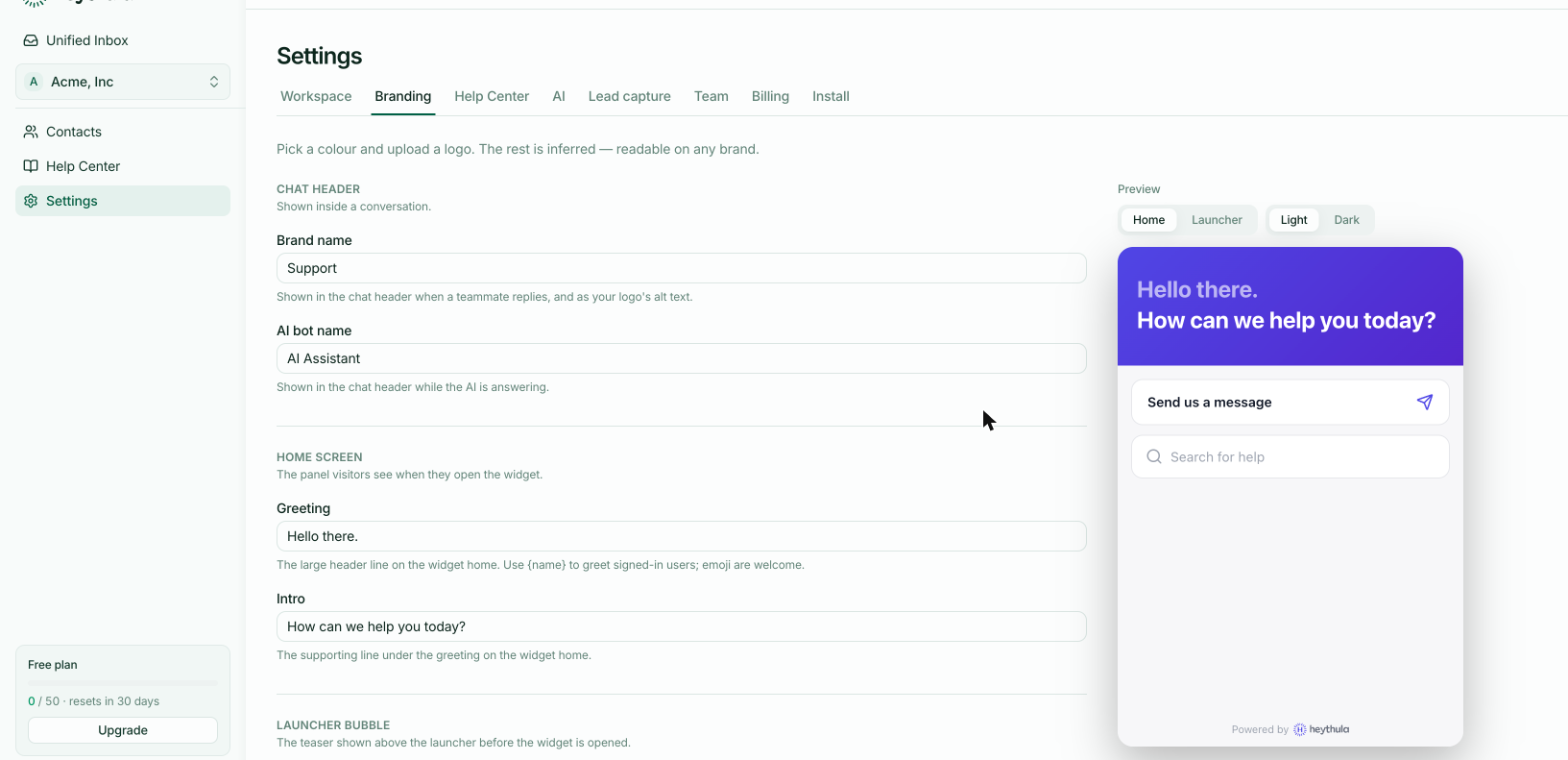
All the widget's wording lives in Settings → Branding, with a live preview beside it. There are four pieces, and the thing worth getting straight is where each one appears — they're easy to confuse, and two of them are seen before anyone opens the chat.
The launcher bubble — seen before anything is opened
Visitor welcome and User welcome appear in the small teaser above your launcher, to someone who hasn't opened the widget yet.
This is the most-read wording you have, because everyone sees it and only some people open the chat. Treat it as an invitation rather than a description — "Questions about pricing?" earns more conversations than "Support".
The two exist so you can greet a stranger and a signed-in customer differently. User welcome supports {name}, replaced with their first name — which only works for identified users, so keep the visitor version working without it.
The home screen — seen on opening
Greeting is the large headline on the widget's home panel; Intro is the supporting line beneath it.
Greeting also supports {name}. Emoji are fine here.
Where the launcher bubble persuades someone to open the widget, these two tell them what they can do now that it's open. Keep them short — this panel also holds the "Send us a message" button and help-centre search.
The chat header — seen inside a conversation
Brand name appears in the header when one of your team replies, and doubles as the alt text for your logo.
AI bot name appears in the header while the AI is answering, so a customer can tell whether they're talking to software or a person. Name it honestly — something recognisably a bot, not a fake human name. Customers who feel misled about that don't forgive it.
What to change first
Most defaults are fine. The two worth your attention are Visitor welcome, because everyone sees it, and AI bot name, because it sets expectations for every AI reply.