
Anonymous visitors and identified users
What changes once your site says who someone is.
By HeyThula · Updated
By default everyone is anonymous. Your site can tell HeyThula who a signed-in customer is, and several things improve when it does.
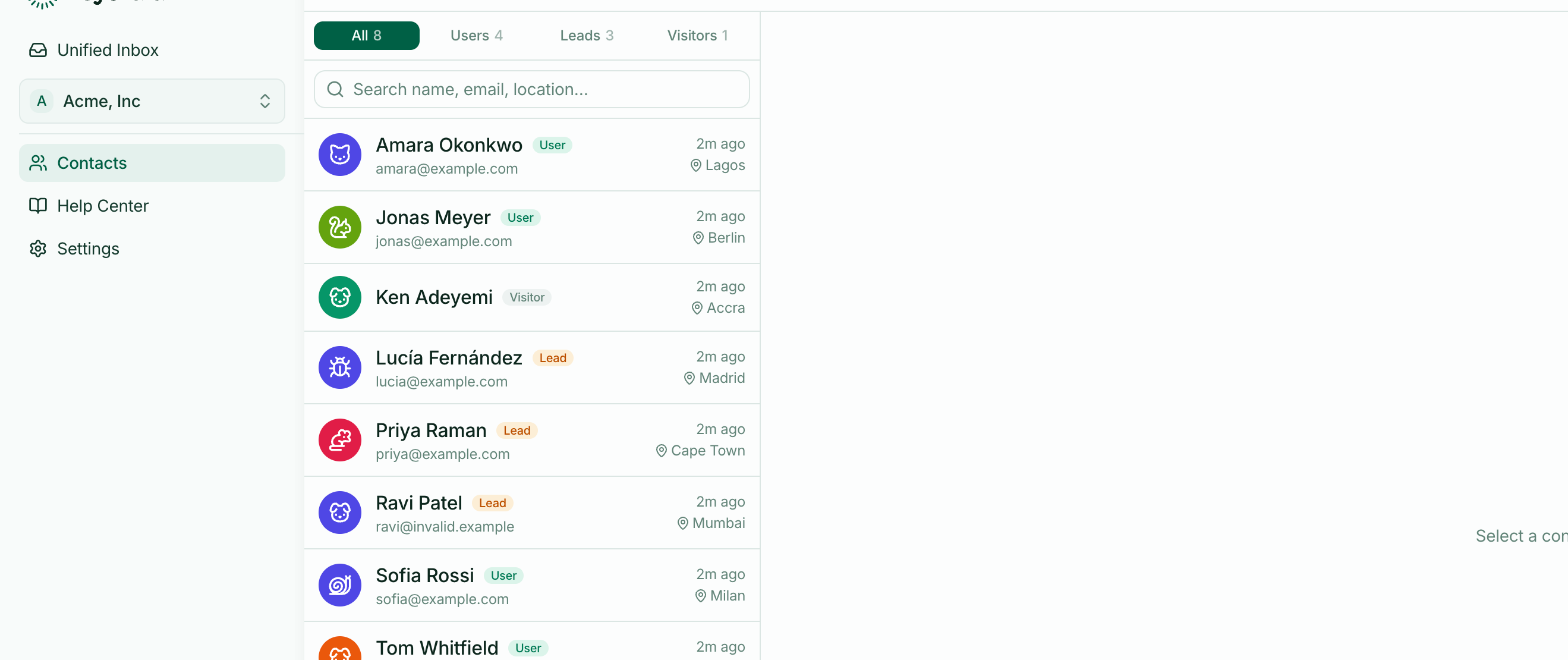
Anonymous visitors
Someone who has opened your widget and nothing more. They get a stable, friendly name — "Purple Turtle" — so your team can refer to them as somebody.
Their conversation is tied to their browser. Same person, different device, different visitor, no history.
Identified users
Someone your own system has vouched for. Once identified:
Conversations follow them between devices, because identity comes from your system rather than a cookie.
Their history is one thread, not fragments per browser.
Your team sees who they are — real name and email — in the contact panel.
They're never asked for an email, because you already have it.
The thing that has to be right
Identity must be signed on your server. Without a signature anyone could open a browser console and claim to be one of your customers.
That's the whole of Identifying logged-in users — a hash your server computes, which HeyThula checks.
What happens if the signature is wrong
The conversation still works. The person stays an unverified contact: nothing merges, nothing is trusted, and they can carry on talking to you.
A broken integration degrades to anonymous chat rather than locking anyone out. Worth knowing, because it means a mistake here is quiet — check the contact panel shows real names, rather than assuming silence means success.
When it's worth doing
If your product has accounts, do it. It's the difference between "someone is asking about billing" and "Tom, on Pro, whose invoice failed on Tuesday, is asking about billing".
If your site is marketing pages with no sign-in, there's nothing to identify. Use lead capture instead.