
Assigning conversations
Replying claims a conversation automatically — and never steals one.
By HeyThula · Updated
Assignment marks who owns a conversation. The header of every conversation shows one of three states: Unassigned, Assigned, or Assigned to you.
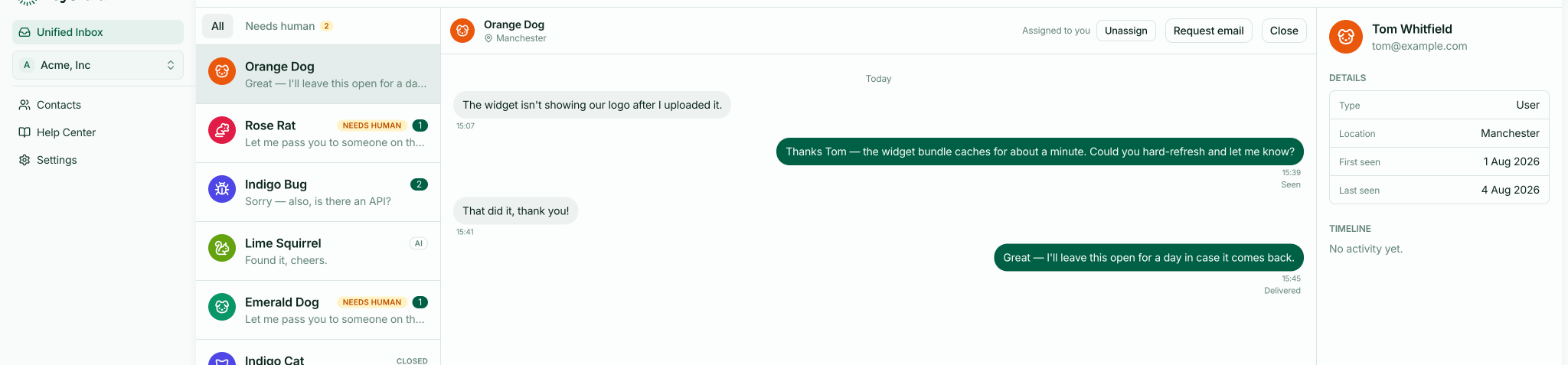
Replying claims it automatically
You rarely need to assign anything by hand. The first teammate to reply is assigned the conversation, at the moment they send.
This is the behaviour most worth knowing, because it happens without being asked for and explains most of what you'll see in a busy inbox.
It never takes a conversation from someone else
Auto-assignment only applies when a conversation is unassigned. If a teammate already owns it, your reply doesn't move it to you — they keep it.
So two people replying at once can't quietly steal ownership from each other. The first reply claims it; later replies leave it alone.
Assigning by hand
Assign to me takes an unassigned conversation, or one owned by someone else, and gives it to you. Unassign releases it back to the pool.
Use these when you're picking up someone's work while they're away, or handing a conversation on after triaging it.
What assignment affects
The clearest effect is on email notifications. When a conversation has an assignee, the deferred notification goes to that person. When it has none, it goes to everyone on the team — so an unassigned conversation isn't at risk of being missed, it just notifies more people.
Assignment doesn't restrict anything. Anyone on your team can still read and reply to any conversation, whoever it's assigned to.
A conversation the AI handed over
When the AI hands a conversation to a human, it flags it Needs human but doesn't assign it to anybody — it has no way of knowing who should take it. It sits unassigned until someone replies, and that reply claims it in the usual way.