
Closing and reopening
Closing is tidying up, not locking anything.
By HeyThula · Updated
Close marks a conversation as dealt with and takes it out of your working list. Reopen puts it back.
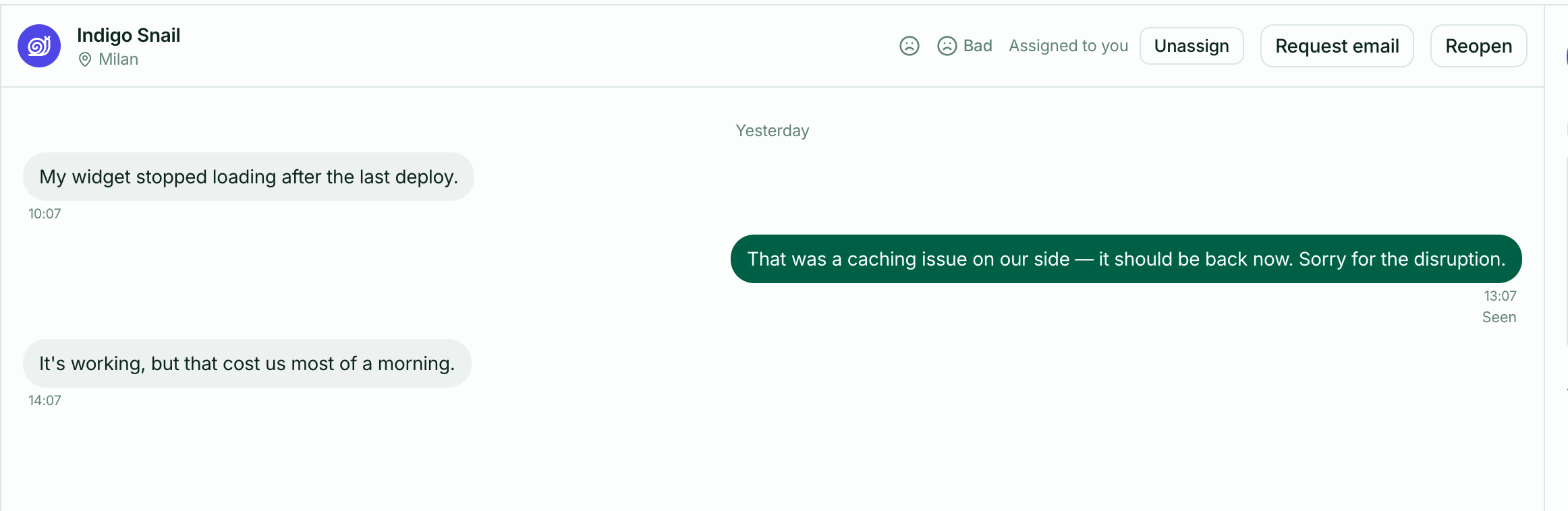
Closing doesn't end anything
A closed conversation isn't locked or archived. Your customer can still write in it, and if they do it comes straight back to your inbox with an unread count, exactly as before.
So closing is a note to your own team that nothing is outstanding — not a door shut on the customer. There's no way for them to tell you've closed it.
When to close
Close when there's nothing left for you to do. If you're waiting on the customer, closing is still reasonable: their reply will bring it back.
The list stays honest if closed means "no action needed from us right now". A cluttered open list stops being a work queue.
Reopening
Open a closed conversation and the Close button is replaced by Reopen. Use it if you close something by mistake, or realise there's more to do.
A customer's new message reopens it for you automatically — you don't have to watch for it.
Closing and ratings
Closing is what prompts your customer to rate the conversation, so it also affects how much feedback you collect. See Customer satisfaction ratings.
Deleting
There isn't one. Conversations are the record of what was said, and support histories are worth more later than the tidiness of removing them. Close is the tool for tidying.