
Using the inbox on your phone
Sign in from a browser — no app to install.
By HeyThula · Updated
The inbox works on a phone browser. Sign in at your usual address; there's nothing to install.
What you get
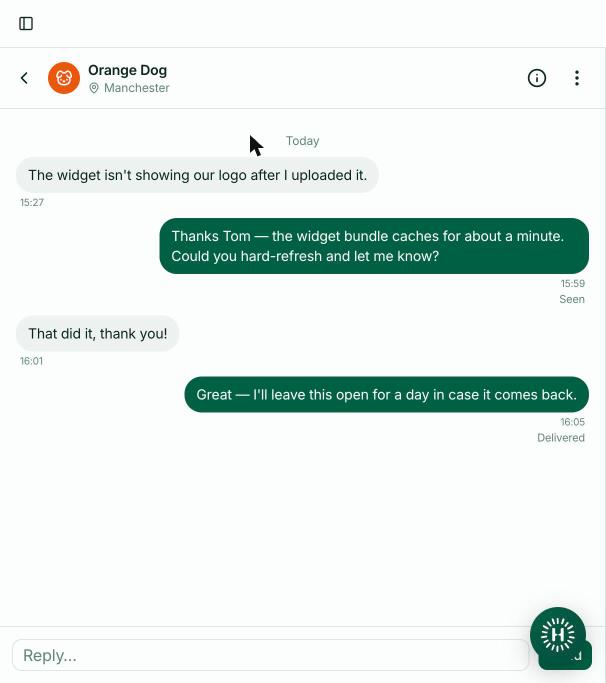
The conversation list, and conversations themselves. Tap one to open it, tap the back arrow to return.
Everything you need to answer is there: read the thread, reply, assign, close, and view the customer's details via the info button in the header. The less common actions sit behind the menu beside it.
What you don't
Contacts, the help centre editor and Settings aren't available on a phone — those are desktop screens, and squeezing them onto a small display would make them worse rather than portable.
Signing out and switching workspace both work as normal.
The back button behaves properly
Your phone's back gesture returns you from a conversation to the list, rather than leaving the app. Conversations also have their own web address, so a link to one opens that conversation directly.
Or just reply by email
Worth remembering: you don't need the inbox at all to answer from a phone. Notification emails can be replied to directly, and your reply appears in the conversation as though you typed it in the dashboard.
For a quick answer while away from your desk, that's often faster than signing in. See Email notifications when you miss a message.
Getting to it quickly
Add the inbox to your home screen from your browser's share menu. It opens straight to your conversations, without an app to keep updated.