
What "Needs human" means
The AI has stopped and is waiting for one of your team.
By HeyThula · Updated
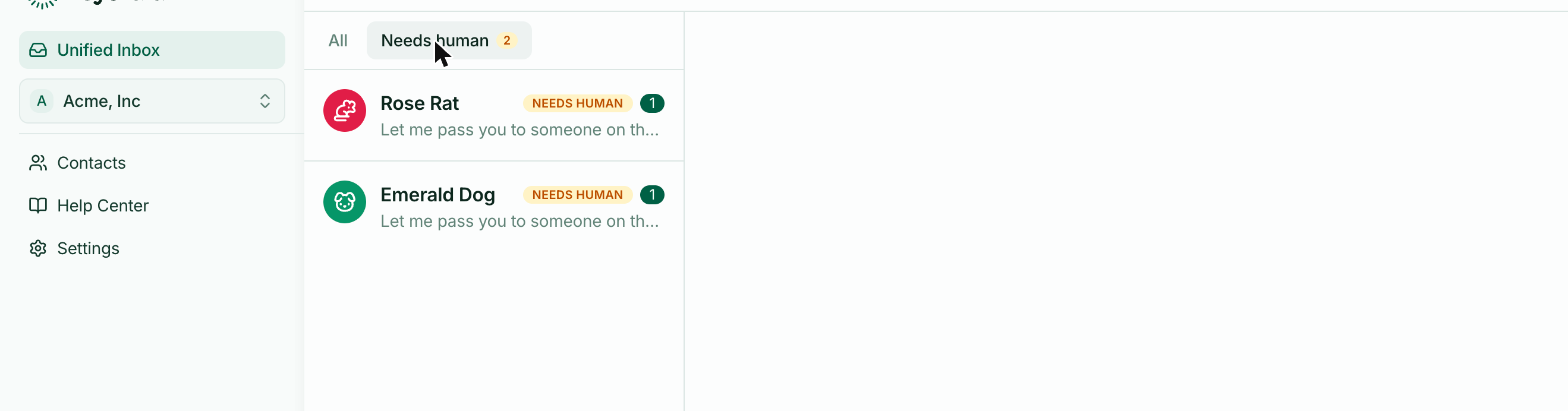
Needs human marks a conversation the AI has stepped out of. It's the closest thing your inbox has to a queue — the conversations where someone is waiting on a person.
Where it comes from
The flag is set when the AI hands over — because the customer asked for a person, because nothing in your help centre matched, because it had already replied several times, or because you're on Free and at your allowance.
It's also set when a conversation was never AI-handled in the first place, and simply needs answering.
The full list of triggers is in When the AI hands over to a human.
The filter is your work queue
The Needs human tab at the top of the inbox shows only these, with a count. On a busy day it's a more useful default than All, because everything in it is genuinely waiting.
Nothing happens automatically after this
Once flagged, the AI stops replying to that conversation entirely — including to further messages from the customer. It won't reconsider, and it won't try again if they rephrase.
This is the part that catches people out. A conversation can sit in Needs human while the customer sends three more messages, with nothing automated happening. That's the design: having been passed to a person, it waits for one.
Clearing the flag
Reply. A human reply clears Needs human, marks the conversation as human-handled, and assigns it to whoever replied if nobody had it.
There's no button to dismiss the flag without answering — which is deliberate, since the flag exists to say a customer is waiting.
If the queue is always full
Recurring handovers are a content problem more than a staffing one. Each conversation flagged because nothing matched is a question your help centre doesn't answer yet.
Read the last few, write the articles they were asking for, and publish them. The same questions will resolve themselves next time.