
The Unified Inbox and workspace filter
One list across every workspace you can see.
By HeyThula · Updated
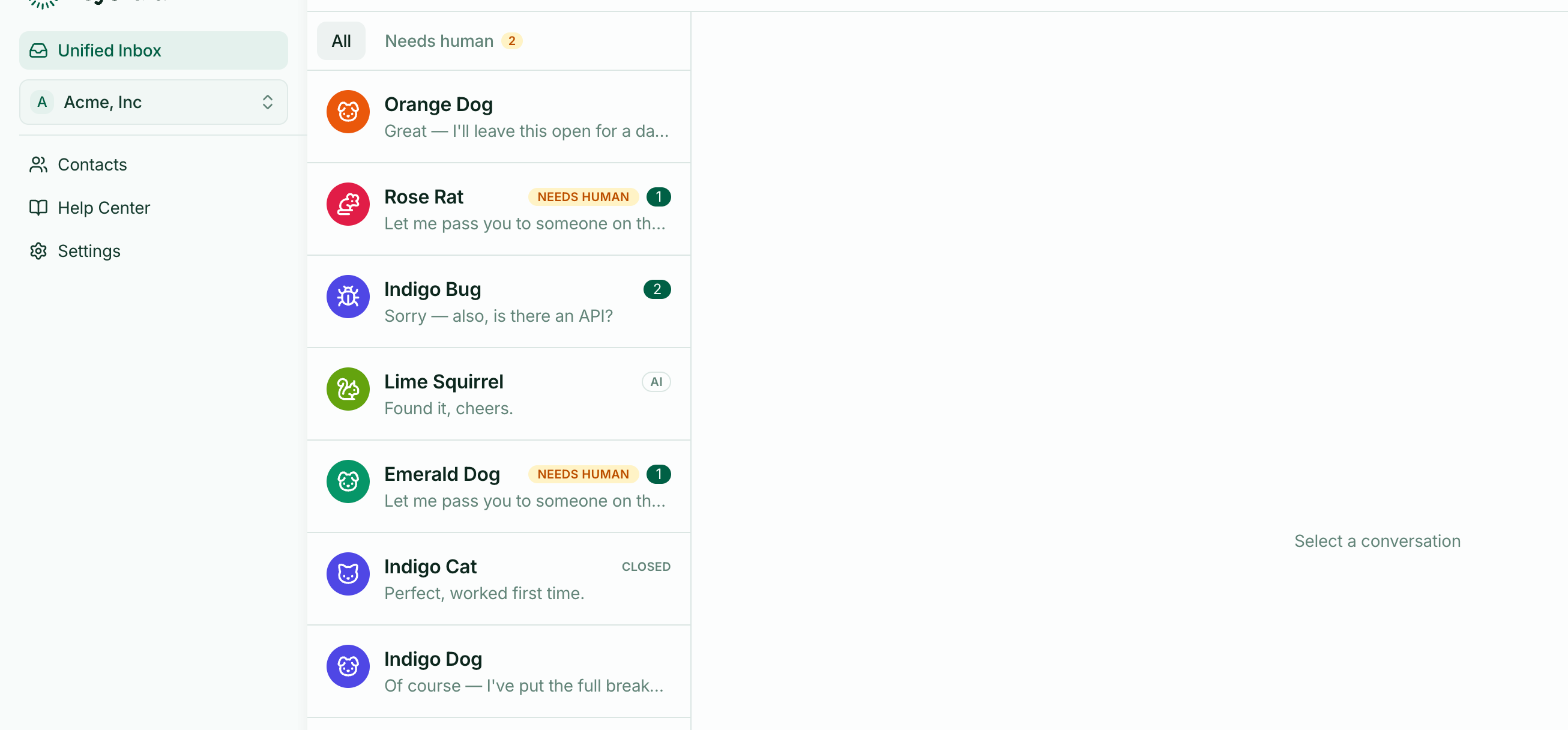
The inbox at the top of the sidebar is account-level. It merges conversations from every workspace you have access to, so nothing waits unnoticed in a workspace you weren't looking at.
One workspace, no difference
If you run a single workspace, this is simply your inbox and the rest of this article doesn't apply.
Several workspaces
Conversations from all of them appear in one list, each tagged with a coloured dot and its workspace name so you can tell at a glance which product a customer is asking about.
The alternative — switching workspaces to check each one — is how messages get missed.
Narrowing to one
A filter above the list lets you show all workspaces or just one. Useful when you're concentrating on a single product, or when one is busy enough to drown out the others.
The filter belongs to the inbox alone. It doesn't change the workspace selected in the switcher, and it doesn't affect Contacts, Help Center or Settings — those always follow the switcher.
Two different controls that both mention workspaces, doing different jobs. Worth knowing before it confuses you.
All and Needs human
All shows everything, open and closed. Needs human shows only conversations waiting for a person, with a count.
On a busy day, Needs human is the better default — everything in it genuinely needs you. See What "Needs human" means.
What you can see
You only ever see workspaces you've been granted access to. Someone limited to one workspace sees a Unified Inbox containing exactly that workspace — no indication that others exist.